> For the complete documentation index, see [llms.txt](https://docs.ins-pi.com/llms.txt). Markdown versions of documentation pages are available by appending `.md` to page URLs; this page is available as [Markdown](https://docs.ins-pi.com/blueprints/review-and-share/presenting.md).
# Presenter Mode and Sharing
Two ways to share. One way to present.
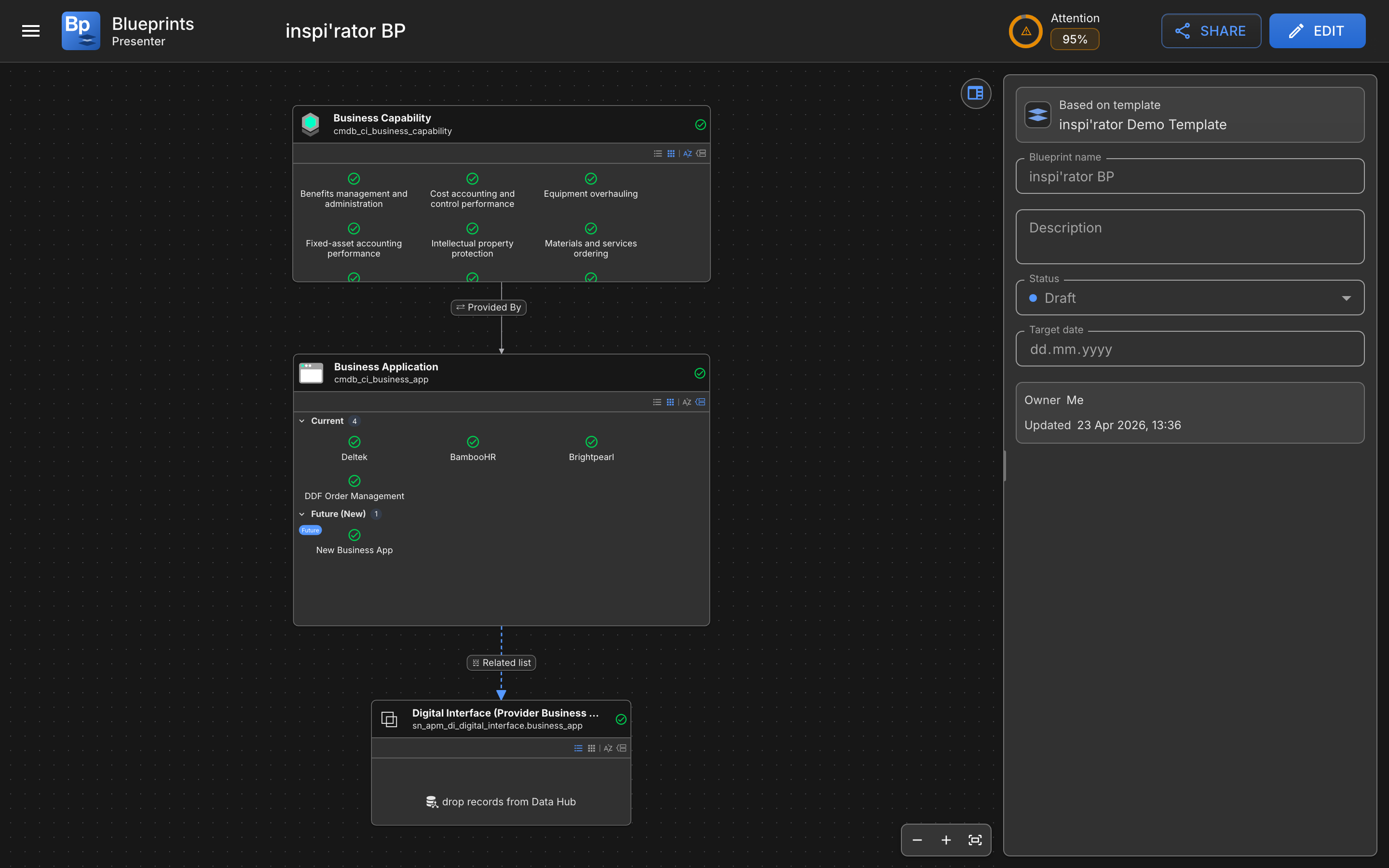
Presenter Mode is the read-only view that lets you walk people through a blueprint without risking accidental edits. It is built for workshops, approvals, status reviews, and leadership presentations.
{% hint style="info" %}
Presenter Mode and sharing both work on blueprints, which are ServiceNow records under the [`x_inpi_ydbp`](/blueprints/start-here/roles-and-permissions.md) scope. What people see when they open a shared link depends on their role. See [Roles and Permissions](/blueprints/start-here/roles-and-permissions.md) for details.
{% endhint %}
## How to open Presenter Mode
The same canvas without the editing surface, plus a Share button
You can open Presenter Mode from the blueprint actions on Home by selecting **Present**.
Blueprint Viewers also land in Presenter Mode automatically when they open a blueprint.
## Presenter Mode versus Blueprint Editor
| Capability | Presenter Mode | Blueprint Editor |
| ------------------------------------------ | -------------- | --------------------------- |
| Inspect tables, records, and relationships | Yes | Yes |
| Zoom and pan the canvas | Yes | Yes |
| Review blueprint metadata | Yes | Yes |
| Open compliance details | Yes | Yes |
| Edit fields or metadata | No | Yes, if your role allows it |
| Stage relationship changes | No | Yes, if your role allows it |
| Move or resize table cards | No | Yes, if your role allows it |
| Save or commit | No | Yes, if your role allows it |
## Edit button for users with access
If your role allows blueprint editing, Presenter Mode can offer an **Edit** action so you can switch back into the **Blueprint Editor** when needed.
## Sharing options
Blueprints can be shared from Home, from blueprint actions, or directly from the **Share** button in the Presenter Mode toolbar.
Common sharing actions are **Copy link** and **Share via email**. These are useful when you want to send someone directly to the correct blueprint without asking them to search for it first.
## Role-based behavior when sharing
The same link can behave differently depending on the user. Blueprint Template Editors, Blueprint Editors, and Blueprint Committers open the blueprint in the **Blueprint** **Editor**. Blueprint Viewers see the read-only Presenter Mode experience instead.
{% hint style="info" %}
**Restricted data behavior**
In viewer-restricted sessions, technical identifiers that should not be exposed can appear as **Access restricted** instead of raw system values. This makes Presenter Mode safer for broader audiences.
{% endhint %}
{% hint style="info" %}
**When to reach for Presenter Mode**
* Stakeholder walkthroughs
* Architecture reviews
* Compliance review meetings
* Business process discussions
* Any session where accidental edits would be a problem
{% endhint %}
---
# Agent Instructions
This documentation is published with GitBook. GitBook is the documentation platform designed so that both humans and AI agents can read, navigate, and reason over technical content effectively. Learn more at gitbook.com.
## Querying This Documentation
If you need additional information that is not directly available in this page, you can query the documentation by asking a question.
Perform an HTTP GET request on the following URL with the `ask` and `goal` query parameters:
```
GET https://docs.ins-pi.com/blueprints/review-and-share/presenting.md?ask=&goal=
```
`ask` is the immediate question: it should be specific, self-contained, and written in natural language.
`goal` is what the user is ultimately trying to achieve, the reason they need the answer. Sharing it helps GitBook give you a better, more relevant answer. A goal is most helpful when it describes the outcome the user wants rather than restating the question. For example, with `ask=how do I create an API token`, a goal like `automate deployments from our CI pipeline` lets GitBook tailor the answer to that use case.
The response will contain a direct answer to the question and relevant excerpts and sources from the documentation.
Use this mechanism when the answer is not explicitly present in the current page, you need clarification or additional context, or you want to retrieve related documentation sections.