# Templates

A template is a set of rules. Every blueprint inherits them.

Good templates make structure consistent, planning faster, and compliance measurable.

{% hint style="info" %}
Templates are ServiceNow records under the `x_inpi_ydbp` scope. They follow your instance's standard ACL and audit behavior. Only [Blueprint Template Editors](/blueprints/start-here/roles-and-permissions.md) can create or modify them.
{% endhint %}

## What a template controls

A template can define:

* which ServiceNow tables appear on the canvas
* which related lists are relevant
* which fields matter for each table
* which filters limit the visible data set
* which relationships are available between tables
* which minimum and maximum rules apply to elements and relationships
* the icon, name, description, and category users see on Home

## Create a new template

From Home:

1. Open **Manage Templates**
2. Select **New Template**
3. Enter a **name** and **description**
4. Save the template
5. Continue configuring the template in the **Template Editor**

After the first save, the template becomes easier to manage because actions such as **duplicate**, **delete**, and icon handling are available.

## The Template Editor

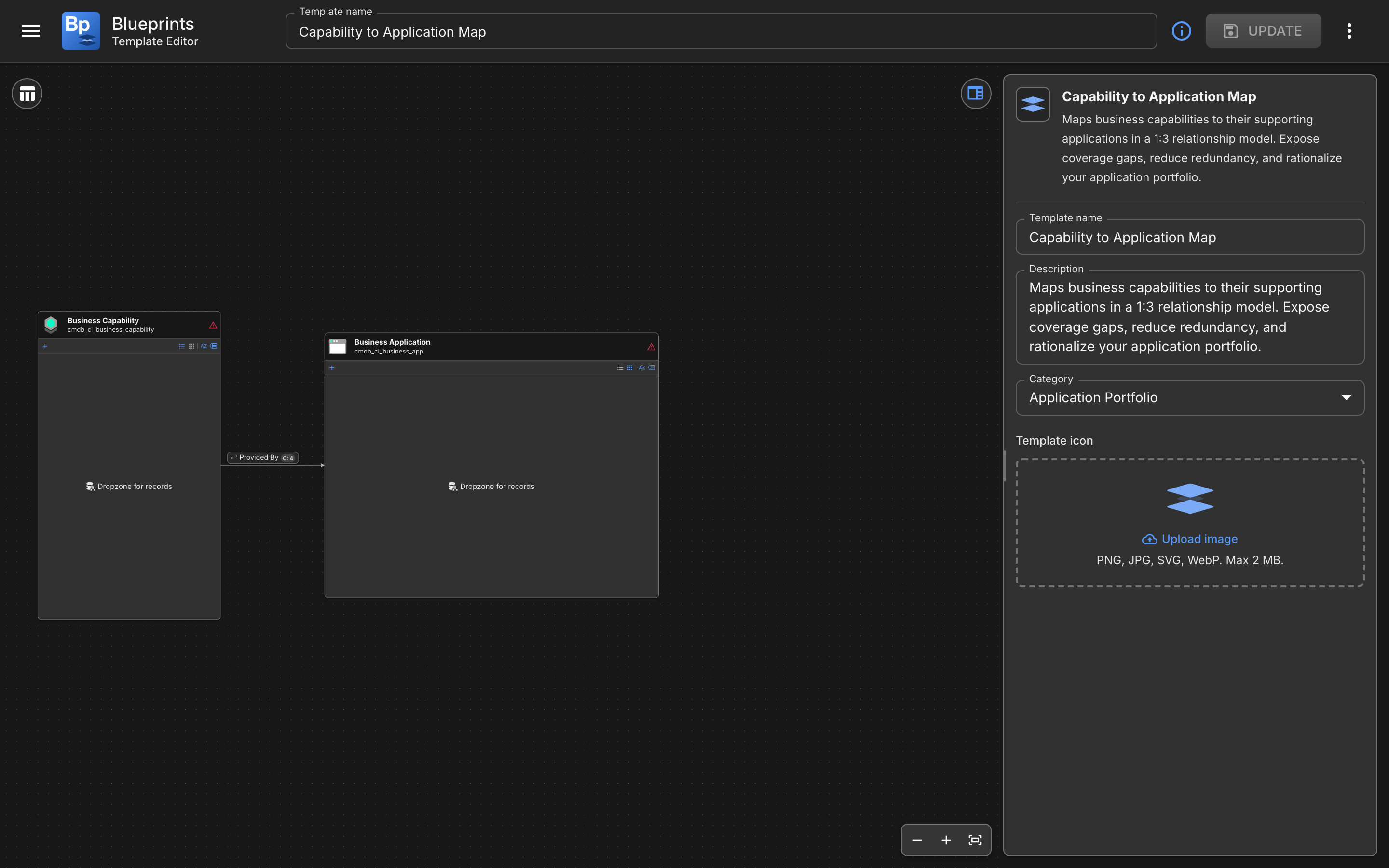
The Template Editor has three working areas.

### Left: Add Table panel

Use **Add Table** to search ServiceNow tables and add them to the canvas.

You can search tables by business label or technical name, sort the list, and group by application scope. Expand a table to inspect related lists, or add several tables in sequence without closing the panel.

### Center: canvas

The canvas is where you arrange the template visually.

Drag and resize table cards, zoom and pan, and use snap-to-grid with alignment guides. You can also inspect suggested relationships between the tables you have added.

### Right: Data panel

The Data panel changes based on what you select.

When you select a table, the Data panel shows three tabs: **Rules**, **Fields**, and **Filters**.

When you select a relationship, the panel shows the relationship configuration instead.

## Template details

Use the template details view to maintain the template's **Name**, **Description**, **Category**, and **Icon**.

## Configure table rules

In the **Rules** tab for a table, you can set how many elements are expected.

Common rule patterns are **optional**, **required**, **exactly one**, or **custom min/max**.

## Configure required fields

In the **Fields** tab, you choose which fields matter for users when they work with blueprint elements.

This is useful when you want blueprint users to focus on a small, meaningful subset of ServiceNow data instead of every available field.

## Configure filters

In the **Filters** tab, you define which records should appear in the blueprint experience.

You can add existing ServiceNow filters or custom filter logic built in the template.

Filters affect what users see in the **Data Hub** and help keep a blueprint focused on the right records.

## Configure relationships

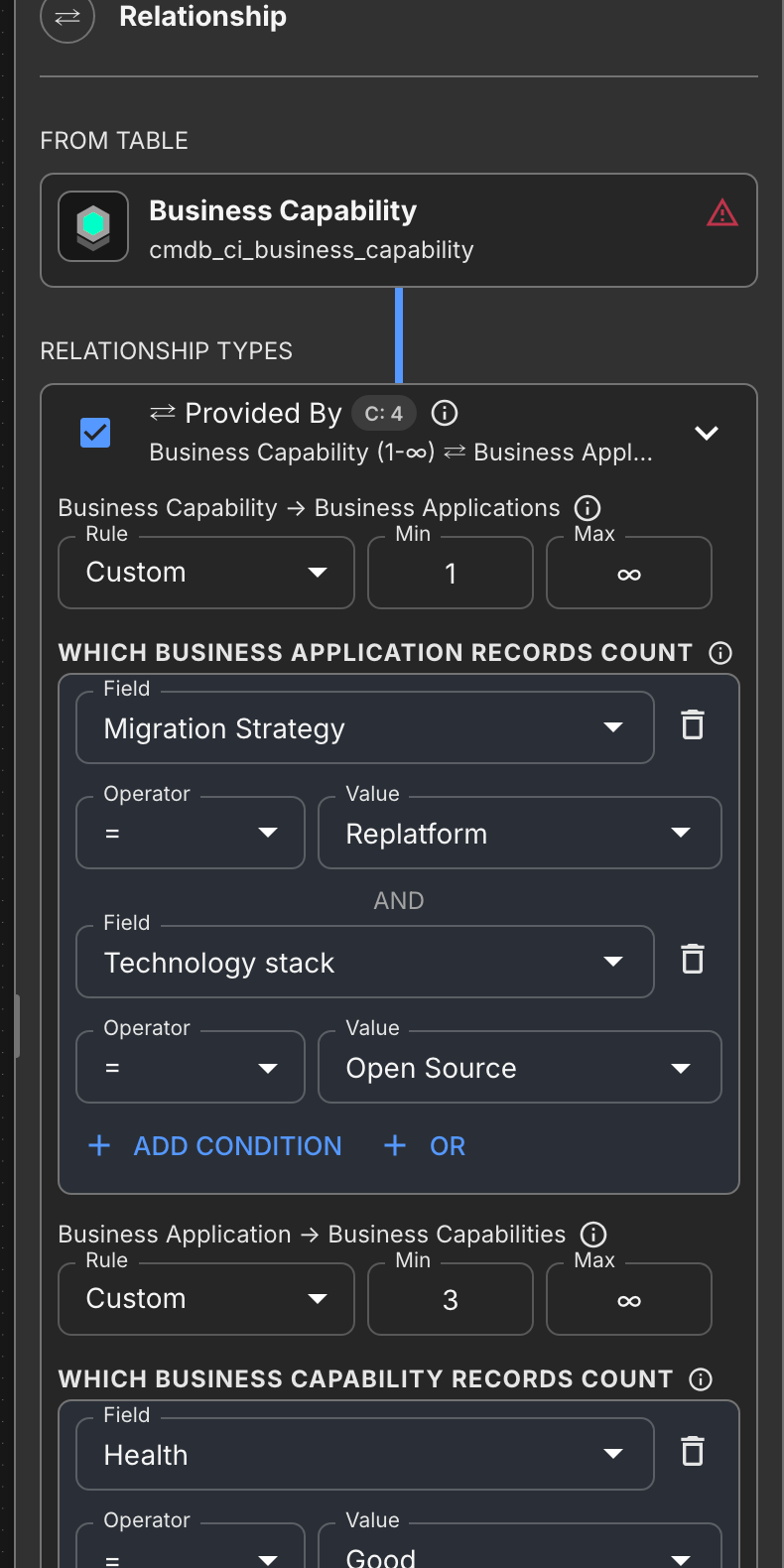
Relationships are the backbone of the template.

The editor can show direct suggested relationships, inherited relationship suggestions, and related-list-based connections.

For each relationship type, you can define rules in both directions.

For example, you can tell the template how many Applications a Business Process must have, or how many Business Processes an Application may support.

This is where minimum and maximum relationship rules belong.

## Save, duplicate, and delete

Use **Save** whenever you change template metadata, canvas structure, table rules, field selection, filters, or relationship configuration.

You can also:

* **Duplicate** a saved template to create a starting point for a variation
* **Delete** a template if it is no longer needed

{% hint style="info" %}
Deleting a template is a governance decision. Existing blueprints based on that template can be affected, so the app warns you before deletion.
{% endhint %}

{% hint style="info" %}
**Tips for designing templates**

* Start with the smallest structure that still reflects the real process
* Use categories so users can find the right template faster
* Keep required fields focused on decision-making, not data overload
* Use relationship rules only where they are meaningful enough to enforce
* Test the template by creating a real blueprint from it before rolling it out widely
  {% endhint %}


---

# Agent Instructions: Querying This Documentation

If you need additional information that is not directly available in this page, you can query the documentation dynamically by asking a question.

Perform an HTTP GET request on the current page URL with the `ask` query parameter:

```
GET https://docs.ins-pi.com/blueprints/work-in-the-app/templates.md?ask=<question>
```

The question should be specific, self-contained, and written in natural language.
The response will contain a direct answer to the question and relevant excerpts and sources from the documentation.

Use this mechanism when the answer is not explicitly present in the current page, you need clarification or additional context, or you want to retrieve related documentation sections.