> For the complete documentation index, see [llms.txt](https://docs.ins-pi.com/llms.txt). Markdown versions of documentation pages are available by appending `.md` to page URLs; this page is available as [Markdown](https://docs.ins-pi.com/command/the-portal/content-types.md).

# Content Types

Everything you create in the portal is a piece of content of a given type. This page describes each type: what it shows, what it reads, and when to reach for it.

{% hint style="info" %}
The types available in your instance, their names, their categories, and their order in the create menu are configuration, not fixed behaviour. An administrator can rename a type, move it, reorder it, or switch it off. This page describes a default installation.
{% endhint %}

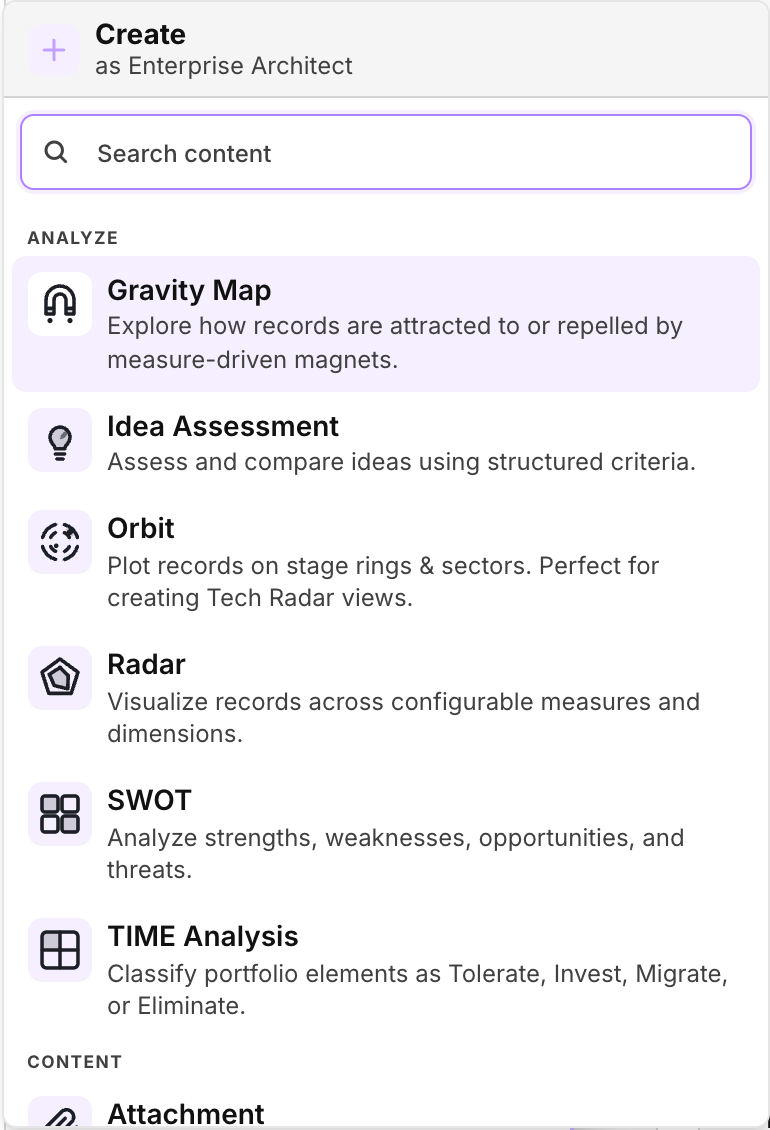
<figure><img src="/files/IFJJIyUNnB7XzgMWv2EZ" alt="The create menu, grouped into categories, showing the Analyze types"><figcaption><p>The create menu. It names the persona it is showing, and lists only the types that persona carries.</p></figcaption></figure>

## What every type has in common

**Content reads live records.** A piece of content stores what it is pointed at and how it should be presented, not a copy of the data. Reopening it re-reads the records, so it reflects the instance as it is now rather than as it was when the content was saved. Deleting content never deletes the records behind it.

**Content is built from your records.** Types that show records let you add them from a search, from another piece of content, or from a related list, and the same record can appear in as many pieces of content as you need.

**Content is saved to My Space.** Until you save it, a tab is working state. Once saved it can be organised into folders, shared, linked to, and reopened.

## Plan

Content for laying out intent over time.

| Type                    | What it is                                                                                                                                              |
| ----------------------- | ------------------------------------------------------------------------------------------------------------------------------------------------------- |
| **Use Case**            | The anchor for a piece of work. Frames the question, hosts the artifacts created while answering it, and stays open so there is always a way back.      |
| **Roadmap**             | A time-phased plan. Records are placed on a quarter and phase timeline read live from their lifecycles.                                                 |
| **Scenario**            | A what-if member set. Records can be marked as added, removed, or modified, with target dates and measure baselines, without touching the live records. |
| **Scenario Comparison** | Two or more scenarios side by side, compared on cost, risk, value, and speed.                                                                           |
| **Journey Map**         | A stage by row canvas for mapping a journey across phases.                                                                                              |

## Analyze

Content for positioning records against each other.

| Type                | What it is                                                                                                                                                                                                        |
| ------------------- | ----------------------------------------------------------------------------------------------------------------------------------------------------------------------------------------------------------------- |
| **TIME Analysis**   | The Gartner TIME quadrant: Tolerate, Invest, Migrate, Eliminate, placed on business fit against technical fit.                                                                                                    |
| **Radar**           | A spider chart across several criteria at once. The axes are measures, so every axis is a governed number.                                                                                                        |
| **Orbit**           | A technology-radar view: rings by stage, sectors by category. Rings can come from TIME, a lifecycle, or a banded measure; sectors from a table, a choice field, or a reference rolled up to its top-level parent. |
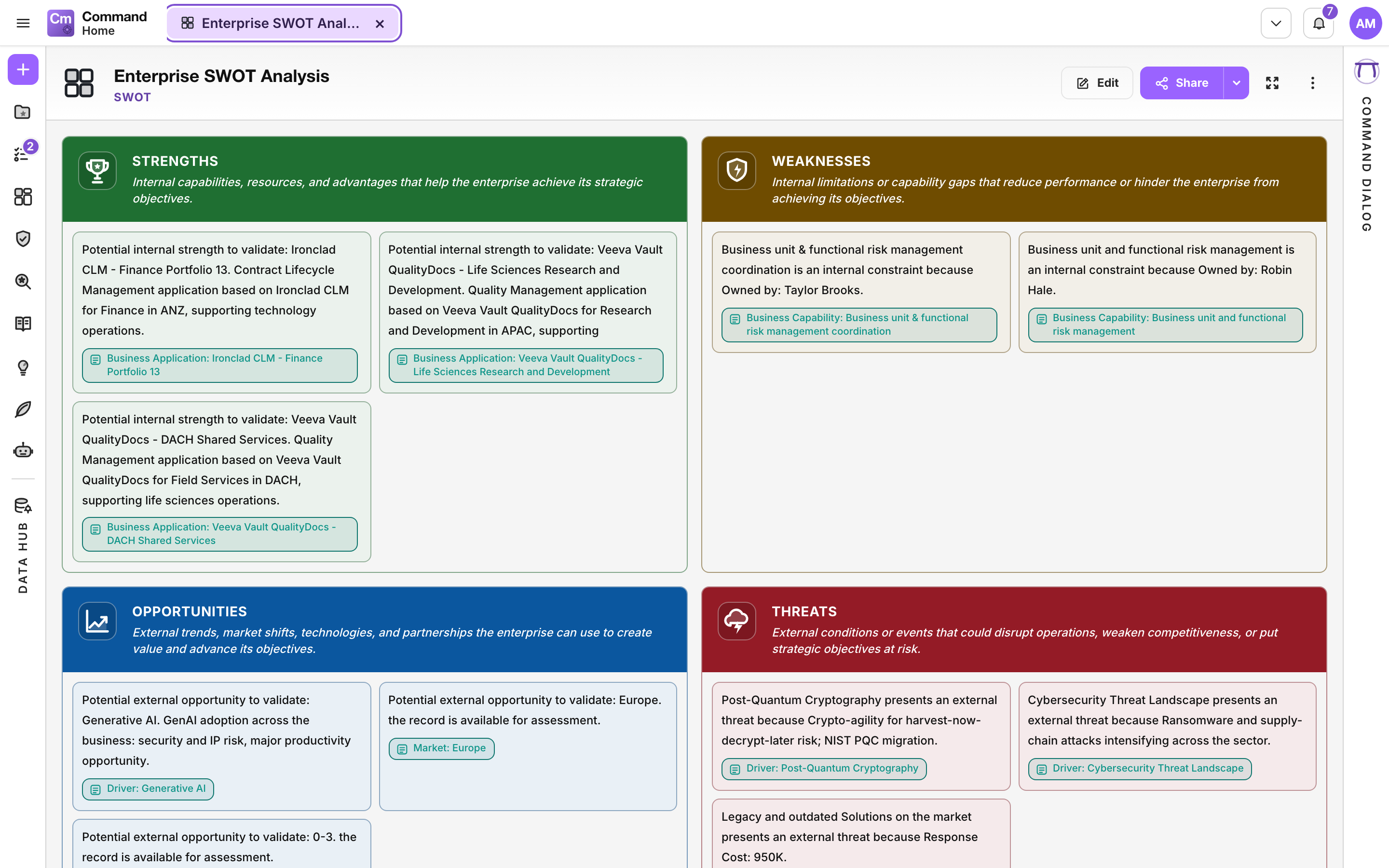
| **SWOT**            | A strengths, weaknesses, opportunities and threats matrix. Each quadrant is rich text, and records can be dropped inline as chips.                                                                                |
| **Gravity Map**     | A canvas where records are bubbles pulled by field magnets bound to measures. Useful for seeing clustering that a table hides.                                                                                    |
| **Idea Assessment** | Scoring and evaluating ideas captured in the Ideation Portal.                                                                                                                                                     |

## Visualize

Content for showing structure and relationships.

| Type               | What it is                                                                                                                                                                                                       |
| ------------------ | ---------------------------------------------------------------------------------------------------------------------------------------------------------------------------------------------------------------- |
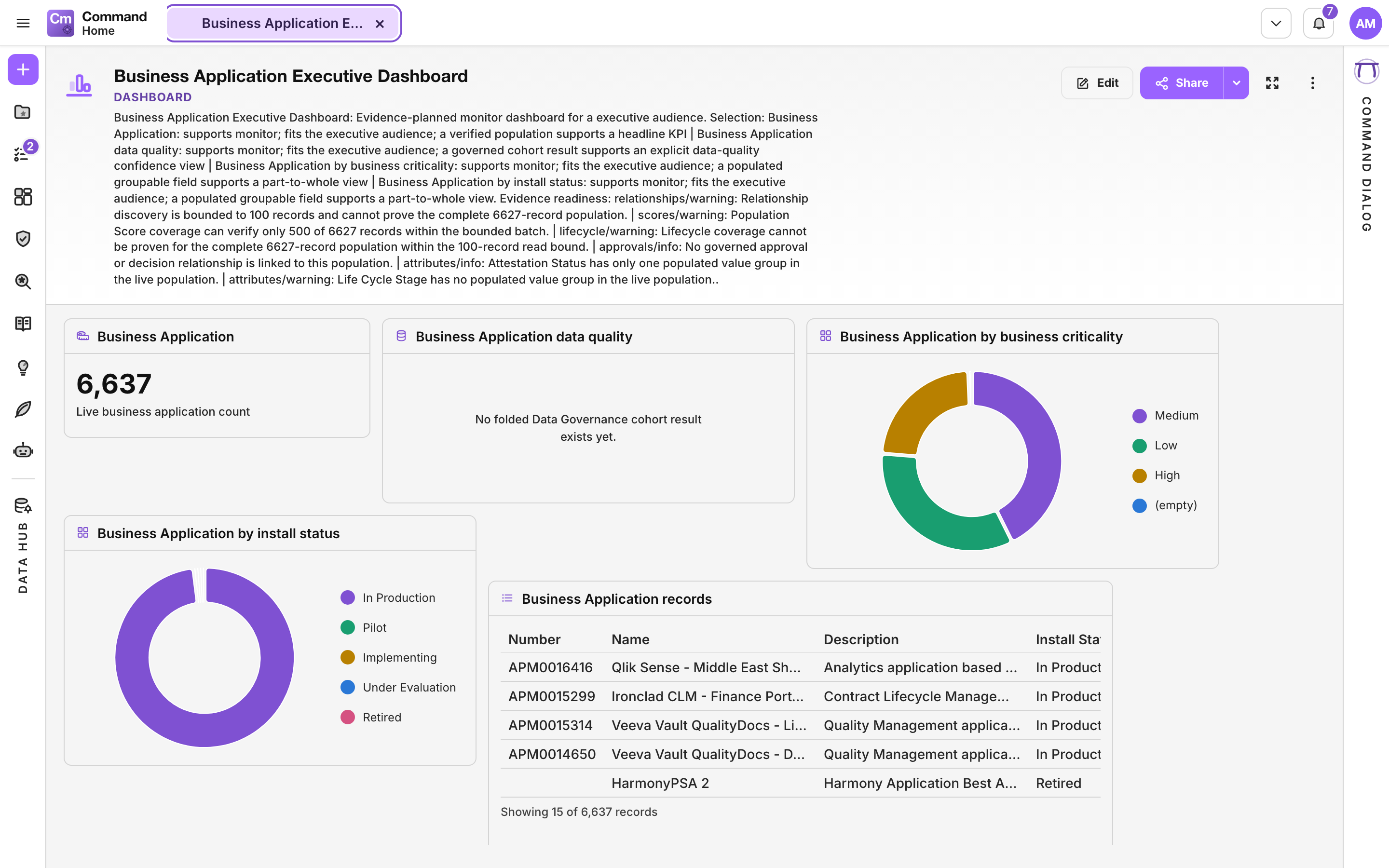
| **Dashboard**      | A drag-and-resize widget grid. Widgets hold charts, KPIs, measures, record sets, and other saved content. Only the layout and configuration are stored; every widget fetches live.                               |
| **Hierarchy Map**  | A tree, landscape, capability, or process map. Parent and child placements are saved as pointers to records.                                                                                                     |
| **Dependency Map** | An interdependency cascade from one or more starting records, following CI relationships, many-to-many links, and references. Used to see the blast radius of an outage or a retirement before committing to it. |

## Record Views

Content for working with records directly.

| Type            | What it is                                                                                                                               |
| --------------- | ---------------------------------------------------------------------------------------------------------------------------------------- |
| **Table**       | A filterable, groupable, sortable table over a live record set.                                                                          |
| **Static List** | A curated, fixed set of records, with no live query behind it. Use it when the membership is the point and should not change on its own. |
| **Form**        | A live record editor bound to one record. Saves back to the real record, with a layout that can vary by object type and persona.         |

## Content

Content for the material around the analysis.

| Type           | What it is                                                                                                                         |
| -------------- | ---------------------------------------------------------------------------------------------------------------------------------- |
| **Note**       | Free-form rich text. Records can be dropped inline as chips, so a note can reference real things rather than naming them in prose. |
| **Attachment** | A single uploaded file held on the item.                                                                                           |
| **Hyperlink**  | An external URL, opened either embedded or in a new tab.                                                                           |

## Inventory

Structure, and content produced for you.

| Type                | What it is                                                                                                                                                                                                                                                    |
| ------------------- | ------------------------------------------------------------------------------------------------------------------------------------------------------------------------------------------------------------------------------------------------------------- |
| **Advisory Report** | A board-ready answer to a governed question, generated by Transformation OS™. Only the question and its evidence plan are stored, so reopening the report re-runs the reads rather than showing a stale conclusion. Covered in the Transformation OS section. |
| **Folder**          | Organises My Space. Sharing a folder shares everything beneath it.                                                                                                                                                                                            |
| **Shortcut**        | Points at content held elsewhere, so one piece of content can appear in more than one place without being copied.                                                                                                                                             |

## Related

* [The Portal](/command/the-portal/portal.md) for how content, My Space, and personas fit together.
* [Personas](/command/the-portal/personas.md) for controlling which types appear in the create menu.
* [Hierarchy Map](/command/prior-v26.0/visualizations/hierarchy-map.md) for the map in depth.
* [Scenarios](/command/prior-v26.0/features/scenarios.md) for scenario planning in depth.


---

# Agent Instructions
This documentation is published with GitBook. GitBook is the documentation platform designed so that both humans and AI agents can read, navigate, and reason over technical content effectively. Learn more at gitbook.com.

## Querying This Documentation
If you need additional information that is not directly available in this page, you can query the documentation dynamically by asking a question.

Perform an HTTP GET request on the current page URL with the `ask` query parameter, and the optional `goal` query parameter:

```
GET https://docs.ins-pi.com/command/the-portal/content-types.md?ask=<question>&goal=<endgoal>
```

`ask` is the immediate question: it should be specific, self-contained, and written in natural language.
`goal` is optional and describes the broader end goal you are ultimately trying to accomplish on behalf of the user. GitBook uses it to tailor the answer towards what is most useful for that goal.

The response will contain a direct answer to the question and relevant excerpts and sources from the documentation.

Use this mechanism when the answer is not explicitly present in the current page, you need clarification or additional context, or you want to retrieve related documentation sections.