> For the complete documentation index, see [llms.txt](https://docs.ins-pi.com/llms.txt). Markdown versions of documentation pages are available by appending `.md` to page URLs; this page is available as [Markdown](https://docs.ins-pi.com/command/the-portal/data-hub.md).
# Data Hub
Reference for the Data Hub, the panel where you find ServiceNow records and drag them into your Command content.
The Data Hub is where records come from. It lists the tables you are allowed to read, lets you find records in them, and lets you drag those records into whatever you are building. What arrives in your content is a pointer to the record, never a copy.
## What it is
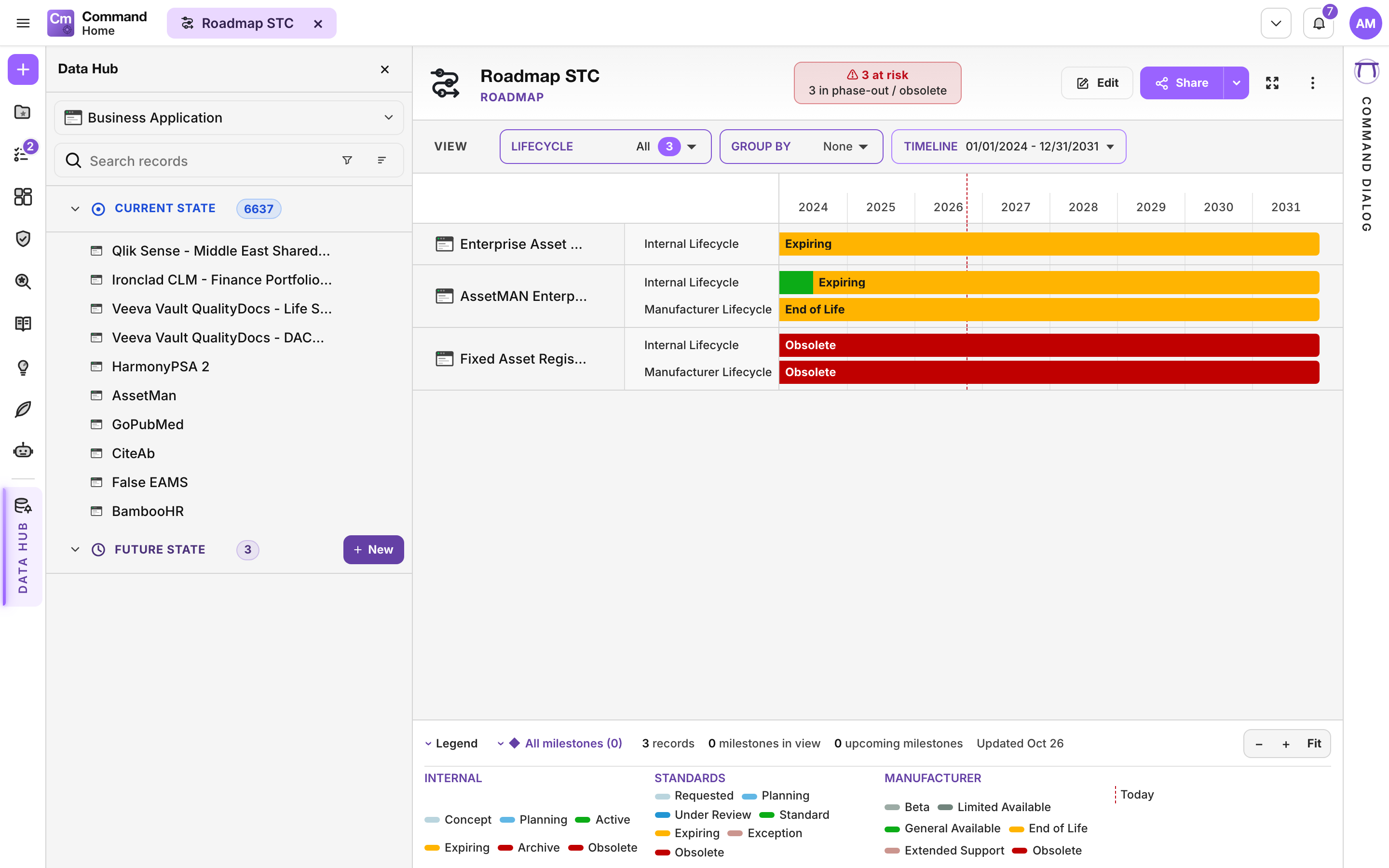
A panel that opens beside the work area. It shows records in two sections:
| Section | Holds |
| ----------------- | -------------------------------------------------------------------------------------------------------------------------------------------------------------------------------- |
| **Current state** | Records that exist in your ServiceNow instance now. |
| **Future state** | Records that are planned but not built yet, held separately so planning never overwrites live data. See [Future State Repository](/command/features/future-state-repository.md). |
Each section shows its own count and can be collapsed.
The Data Hub with its Current state and Future state sections
## When to use it
Almost every piece of content starts here. Open the Data Hub to find the applications, capabilities or ideas you care about, then drag them onto a roadmap, a map, an analysis or a table.
## How to
### Find records
1. Click **Data Hub** at the bottom of the activity rail. The entry appears when the item in front of you can take records.
2. Click **Select table** and type to find a table. Star the tables you use often.
3. Search within the table by name, sort it (name, recently added, oldest first), or open the **Filters** funnel to build conditions.
### Put records into content
1. Drag a row, a selection, or a whole section header onto your content.
2. Hold **Shift** while dragging to bring a record's children too.
3. Use **Add all in class** to add a whole class at once.
Records already in your content are marked as added.
### Create a current-state record
1. Select the table and click **New** in the **Current state** section. The button is there only when your ServiceNow roles let you create records in that table.
2. A [Form](/command/the-portal/content-types.md#form) opens for the new record, ready to fill in. Fields the record needs are marked as required. A required field the table's form does not show appears under **Required to create**.
3. Click **Save**. The record is created in your ServiceNow instance, and the form changes into that record's normal form.
If Save says **Creating records needs the latest server update**, your instance does not have the server update that creates records yet. Ask your administrator to install it.
### Create a future-state record
1. Click **New** in the **Future state** section.
2. Fill in the planned record.
3. Place it on a roadmap or a map next to the real records.
A future record you no longer need can be abandoned.
### Open a record
Use a row's **⋯ > Edit** to open the record as a [Form](/command/the-portal/content-types.md#form). Saving writes to the real record, and everything else that points at it picks up the change.
## Good to know
* **Permissions apply.** Only tables your ServiceNow roles let you read are offered. A table you cannot read says so instead of showing zero. Creating a record follows the same rules: a field you are not allowed to set is not written, and Save tells you which ones.
* **Class groups.** Where a table has extensions, records are grouped by class, for example Business Application under Configuration Item. You cannot drag a class group onto a canvas, but **Add all in class** adds everything in it.
* **Hierarchies.** Records that form a parent and child structure are shown as an expandable tree.
* **Counts stay consistent.** The table picker shows the same counts as the sections. When a search or filter narrows the current state, its header says "filtered".
* **One record, many places.** The same record can be in as many pieces of content as you like. Removing it from one does not touch the record.
* **On a phone** the Data Hub covers the screen and never opens by itself. Close it with **Close Data Hub**.
## Related
* [The Portal](/command/the-portal/portal.md)
* [Content types](/command/the-portal/content-types.md)
* [Access Rights](/command/prior-v26.0/configuration/access-rights.md)
* [Metamodel](/command/metamodel/metamodel.md)
---
# Agent Instructions
This documentation is published with GitBook. GitBook is the documentation platform designed so that both humans and AI agents can read, navigate, and reason over technical content effectively. Learn more at gitbook.com.
## Querying This Documentation
If you need additional information that is not directly available in this page, you can query the documentation by asking a question.
Perform an HTTP GET request on the following URL with the `ask` and `goal` query parameters:
```
GET https://docs.ins-pi.com/command/the-portal/data-hub.md?ask=&goal=
```
`ask` is the immediate question: it should be specific, self-contained, and written in natural language.
`goal` is what the user is ultimately trying to achieve, the reason they need the answer. Sharing it helps GitBook give you a better, more relevant answer. A goal is most helpful when it describes the outcome the user wants rather than restating the question. For example, with `ask=how do I create an API token`, a goal like `automate deployments from our CI pipeline` lets GitBook tailor the answer to that use case.
The response will contain a direct answer to the question and relevant excerpts and sources from the documentation.
Use this mechanism when the answer is not explicitly present in the current page, you need clarification or additional context, or you want to retrieve related documentation sections.