# Commit your changes
Every edit you make in Freelucy — create, remap, or delete — is staged on the canvas. None of it touches ServiceNow until you commit. The commit is a two-step gate: review the full list, then confirm.
***
## Step by step
1. When you're ready, click **Commit Changes** in the action bar.
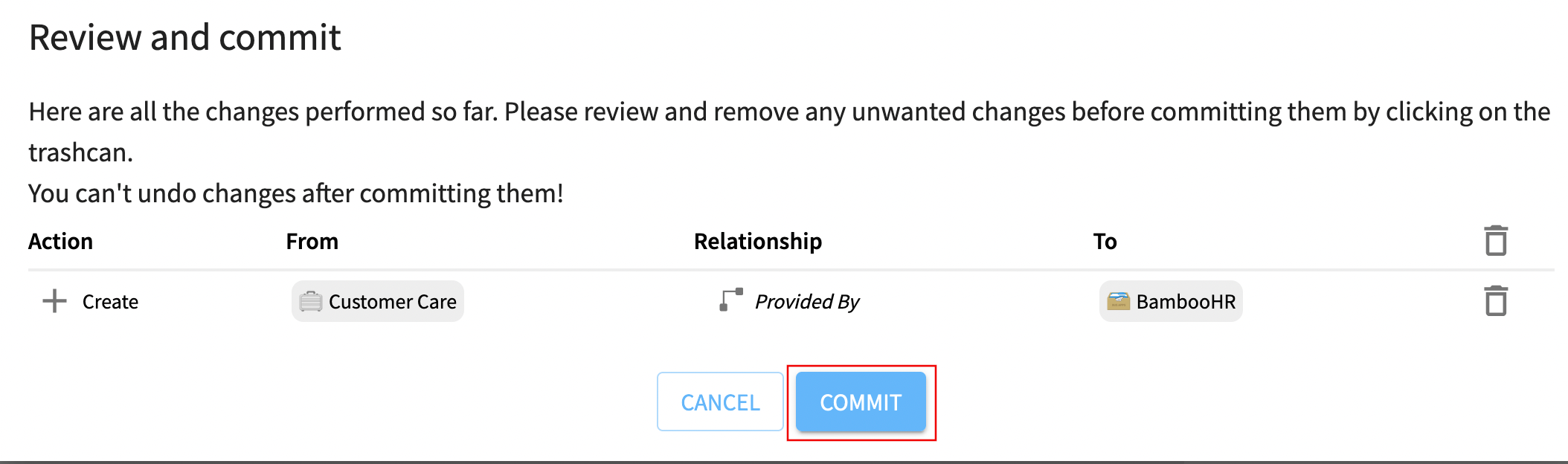
2. A review popup lists every staged edit from the session — additions, remappings, and deletions.
3. Verify the list. If something is wrong, close the dialog and fix it on the canvas before committing.
4. Click **Commit**.
Freelucy writes the changes to ServiceNow in a single batch. The dark blue staged lines turn into committed connections, and shared diagram links now reflect the new state.
***
## What if I get it wrong?
You can stage edits as long as you want before committing. Within a session you can:
* [Remap a relationship](/freelucy/work-in-the-app/remap-relationship.md) you placed on the wrong side.
* [Delete a relationship](/freelucy/work-in-the-app/delete-relationship.md) you no longer want.
* Drop new ones onto the canvas.
If you close Freelucy without committing, the staged edits are discarded. Nothing reaches ServiceNow.
***
## What's next
* [Inspect, navigate, and share](/freelucy/work-in-the-app/inspect-navigate-share.md)
---
# Agent Instructions: Querying This Documentation
If you need additional information that is not directly available in this page, you can query the documentation dynamically by asking a question.
Perform an HTTP GET request on the current page URL with the `ask` query parameter:
```
GET https://docs.ins-pi.com/freelucy/work-in-the-app/commit-changes.md?ask=
```
The question should be specific, self-contained, and written in natural language.
The response will contain a direct answer to the question and relevant excerpts and sources from the documentation.
Use this mechanism when the answer is not explicitly present in the current page, you need clarification or additional context, or you want to retrieve related documentation sections.